
If you’ve been waiting for the “right time” to buy a laptop, 2026 has basically put up a big flashing sign that says: Do it now. Between Apple finally launching a proper budget MacBook and Windows brands going all‑in on AI laptops, the entire entry‑level and mid‑range segment just flipped.
In this post, let’s talk about two of the biggest stories:
- Apple’s new MacBook Neo, a 599‑dollar MacBook that doesn’t feel like a compromise.
- A new wave of AI‑first Windows laptops from brands like Lenovo that are turning your PC into a personal assistant, not just a box that runs apps.
By the end, you’ll know which direction makes more sense for you: Apple’s clean, efficient budget Mac, or a Windows laptop that leans hard into AI.
1. MacBook Neo: Apple finally makes a “cheap” MacBook
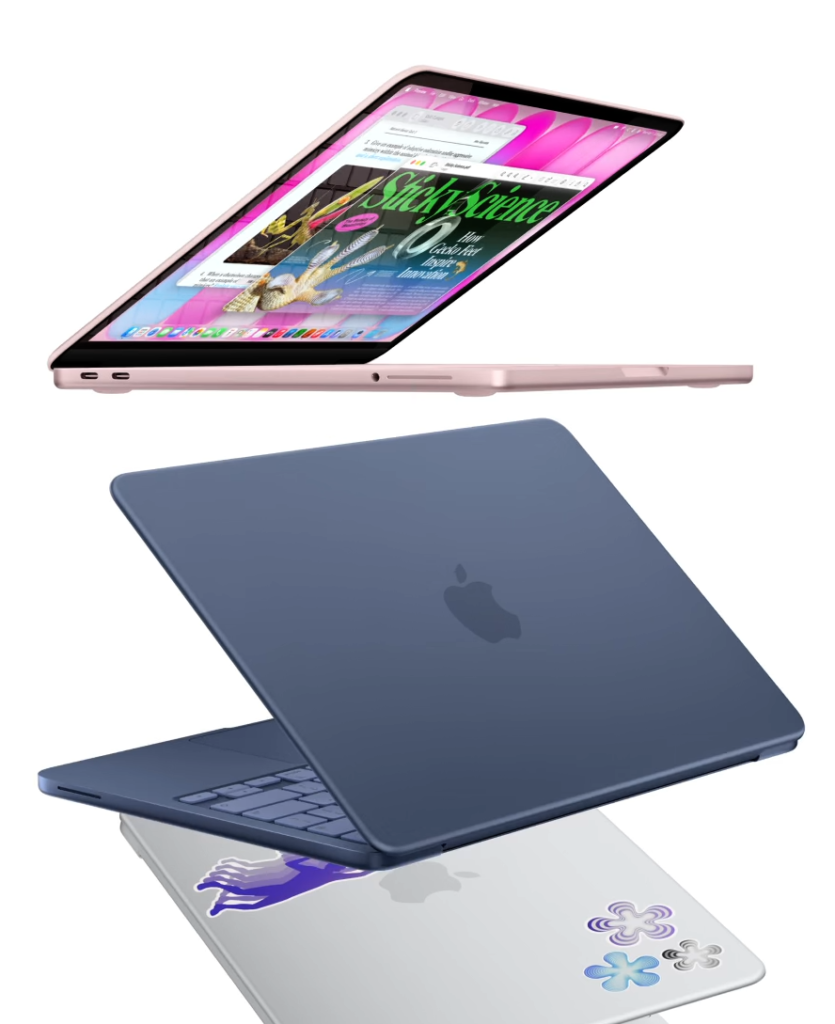
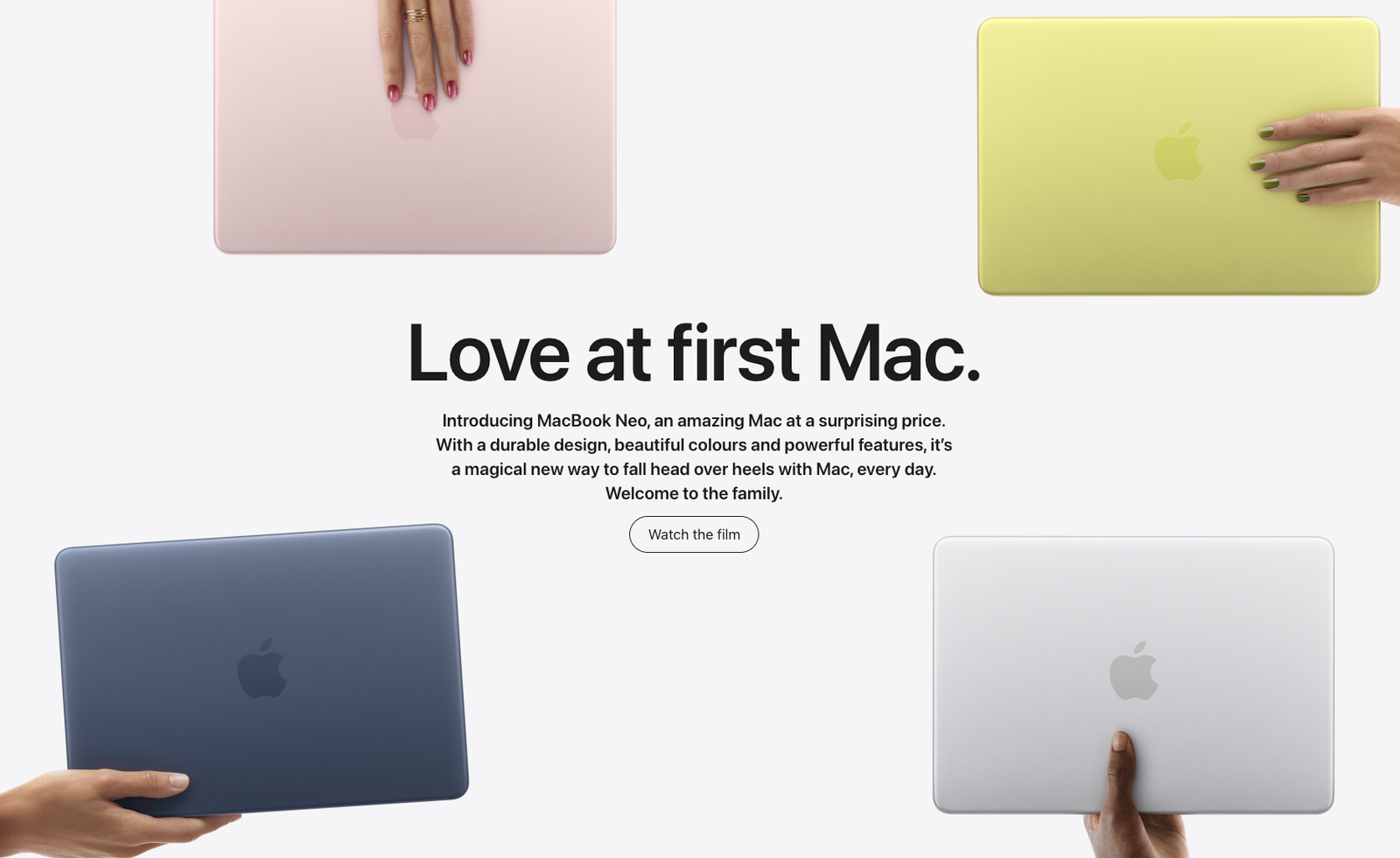
For years, people have been asking the same thing: Why doesn’t Apple make an affordable MacBook? In March 2026, it finally did. The MacBook Neo is a 13‑inch MacBook that starts at 599 dollars, with an even cheaper 499‑dollar education price.
Instead of using Apple’s usual MacBook chips (the M‑series), the Neo runs on the A18 Pro, the same processor you get in the iPhone 16 Pro. That sounds strange at first, but it’s actually clever: Apple already knows this chip is power‑efficient and AI‑friendly on phones, so reusing it in a laptop helps keep costs low while still feeling fast for normal tasks.
On the outside, the Neo still looks like a proper MacBook:
- Aluminum body with a clean, flat design.
- 13‑inch Liquid Retina display with sharp resolution and up to around 500 nits of brightness, good enough for bright rooms and decent outdoor use.
- Fun colors like Blush, Citrus, and Indigo, plus silver, which makes it feel more playful than the usual serious “pro” laptops.
If you’ve always wanted the MacBook Air vibe but your wallet said no, the Neo is Apple’s answer.
2. Specs and trade‑offs: where Apple saved money
Of course, 599 dollars doesn’t come magically. Apple has cut in a few areas—but mostly in ways many people can live with.
Here’s how the lineup looks:
- Base model (599 dollars)
- 8GB RAM
- 256GB SSD
- Standard power button (no Touch ID)
- Upgraded model (699 dollars)
- 8GB RAM
- 512GB SSD
- Touch ID in the power button
RAM is fixed at 8GB, which is fine for browsing, office work, streaming, and light editing, but not ideal if you constantly keep 30 tabs open, edit big 4K timelines, or run heavy virtual machines.
Port situation is simple:
- 2× USB‑C ports
- 1× headphone jack
- No MagSafe, no Thunderbolt
One USB‑C is faster and can drive a 4K external monitor at 60Hz, while the second is slower but still usable for charging and basic accessories. For most students and casual users, that’s enough; power users may miss MagSafe and extra ports.
Battery life is rated at up to around 16 hours, thanks to that efficient A‑series chip. Add in a 1080p webcam, side‑firing speakers with spatial audio, and a keyboard that feels very close to the MacBook Air/Pro, and the overall package feels a lot more “real Mac” than “budget experiment.”
The main compromises are:
- 8GB memory ceiling
- No keyboard backlight on the very base spec
- Fewer ports and no MagSafe
If you know these limitations and they’re not deal‑breakers for your workflow, the value is honestly impressive.
3. Who is the MacBook Neo really for?
The MacBook Neo isn’t trying to be the ultimate creator machine. It’s targeting three groups more than anyone else:
- Students and first‑time buyers
If you mostly write assignments, research on the web, attend video calls, and stream content, the Neo gives you macOS, great battery life, and a premium body for the price of many mid‑range Windows laptops. - Casual creators and side‑hustlers
Light video editing, social media content, Canva, basic photo work—these are very doable on the A18 Pro plus 8GB RAM combo, especially if you keep your multitasking under control. - People who hate cheap‑feeling laptops
A lot of budget laptops still use flexy plastic shells, dim screens, and weak speakers. The Neo’s build quality and display pull it up a notch over typical 500–700‑dollar machines.
The bigger impact, though, is strategic: Apple is now directly attacking Chromebooks and low‑end Windows laptops on their home turf—schools and price‑sensitive buyers. That alone is going to shake the market over the next 1–2 years.
4. The second big trend: AI‑first Windows laptops
While Apple is finally going “down” in price, Windows laptop makers are going “up” in intelligence.
Brands like Lenovo used CES 2026 to show off new AI laptops under their Yoga and IdeaPad lines, many of them branded as Copilot+ PCs. These machines are built from the ground up to lean on AI:
- Dedicated NPUs (neural processing units) for on‑device AI tasks
- Deep integration with Microsoft Copilot
- Smarter system behaviour through features like Lenovo Aura Edition
High‑end models such as the Yoga Pro 9i Aura Edition and Yoga Slim 7i Ultra Aura Edition combine Intel Core Ultra processors, RTX 50‑series GPUs, and high‑resolution tandem OLED displays aimed at creators and gamers. They’re positioned as laptops that can accelerate video editing, generative tools, and AAA gaming, while AI automatically balances performance and battery.
On top of that, Lenovo is working on Qira, a “personal AI super agent” designed to coordinate your devices—PC, tablet, and phone—so you can move between them more smoothly. Think of it like a more context‑aware assistant that remembers what you were doing and helps you pick up from there, no matter which screen you’re on.
In short: on the Windows side, the big 2026 story is AI laptops that do more of the thinking for you.
5. What makes an “AI laptop” actually different?
“AI laptop” sounds like marketing jargon, but there are a few real differences compared with traditional notebooks.
You’ll typically see:
- On‑device AI features
Things like live transcription, AI‑powered search across your files, summarization, and generative image or video tools, all running locally on NPUs instead of just in the cloud. - Smarter performance modes
Lenovo’s Aura Edition adds Smart Modes that automatically tweak performance, cooling, and power based on what you’re doing, instead of you constantly switching profiles. - Cross‑device continuity
Tools like Lenovo Smart Connect and the upcoming Qira agent try to turn your laptop, tablet, and phone into one continuous workspace.
Some concept devices even add desk‑based AI companions that sit beside your monitor, sync your schedule, recommend breaks, and charge your devices.
Compared with the MacBook Neo, these AI Windows laptops are usually:
- Heavier on multitasking and GPU‑intensive workloads
- More flexible in gaming and niche software
- Better suited if you want AI deeply integrated into your daily creative or productivity flow
On the flip side, they can be more complex, and the best AI features often show up on mid‑to‑high‑range configurations rather than the absolute cheapest machines.
6. MacBook Neo vs AI laptops: how to choose in 2026
Now the real question: Which side should you pick—MacBook Neo or an AI Windows laptop?
Here’s a simple way to decide.
Choose MacBook Neo if…
- You want the cleanest day‑to‑day experience possible.
- Your work is mostly browsing, office tools, online classes, content streaming, and light editing.
- You care a lot about battery life, build quality, and a nice display in a slim machine.
- You’re already in the Apple ecosystem (iPhone, iPad, AirPods, iCloud).
You’re basically trading maximum AI experimentation and raw GPU power for simplicity and polish at a great price.
Choose an AI Windows laptop if…
- You rely on Adobe, specialized Windows apps, or PC gaming.
- You want features like RTX‑accelerated video editing, 3D work, or heavy multitasking.
- You’re excited by Copilot+ and vendor features like Lenovo Aura and Qira that can automate parts of your workflow.
- You like the idea of pairing your laptop with multiple monitors, external GPUs, and lots of peripherals.
Here you’re accepting a bit more complexity in exchange for maximum flexibility and AI firepower.
In the 599 to 999‑dollar band, the good news is that competition has never been stronger—Apple, traditional PC makers, and even Chromebooks are all pushing more value than they did a few years ago.
7. Why 2026 is such a good upgrade year
If we zoom out, analysts looking at 2026 consumer tech trends are seeing a clear pattern: AI, personalization, multi‑screen setups, and smarter devices are all moving mainstream, not just sitting at the ultra‑premium level.
That has a few practical consequences:
- Features like AI‑driven personalization, smart assistants, and intelligent power use are slowly trickling down into more affordable devices.
- Laptops are becoming part of a bigger ecosystem that includes phones, tablets, smart glasses, and even ambient devices on your desk.
- The definition of “budget laptop” is changing from “it just runs Word and Chrome” to “it can also handle some AI, creative work, and multi‑screen setups.”
Right now, though, you’re already benefitting:
- Apple is forced to fight on price with the MacBook Neo.
- Windows brands are forced to innovate on intelligence, not just raw specs.
If your current laptop is more than four or five years old, 2026 is a genuinely strong moment to upgrade without blowing your budget.